
How to connect to the internet?
23 Jan 2026
1. Search for WIFI and select ECUST-dorm.1x, ECUST-dorm-5G.1x, ECUST-dorm-web, ECUST.1x, or ECUST.
2. Open the browser, fill in the WIFI account and password, and click "Free 12M (Dormitory 4M)" and "Login" to connect.
- If the page doesn’t show up, type login.ecust.edu.cn in the browser.
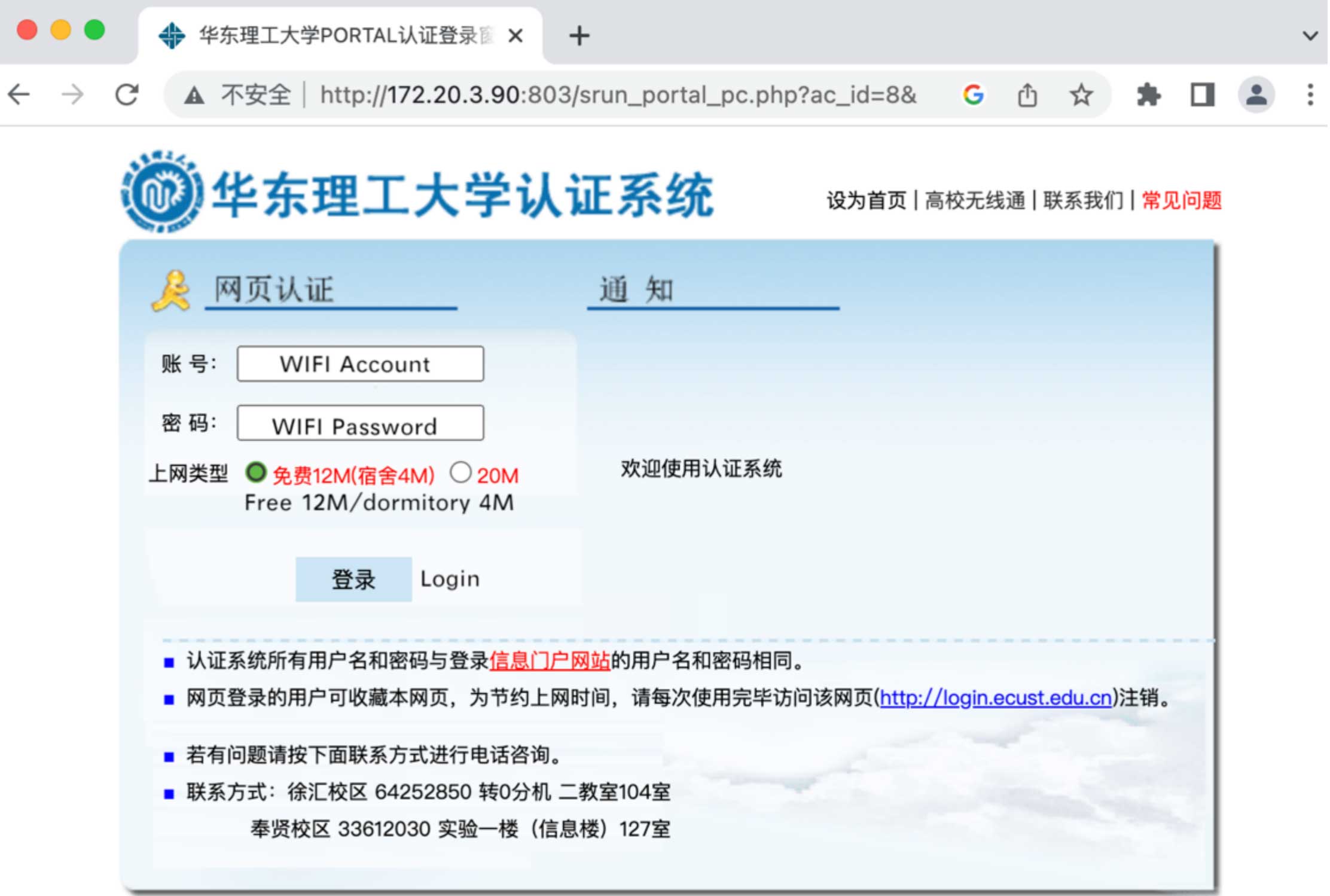
- Account name: Student ID (in your campus card).
- Password: Initial password is Passport number Ecust# (capitalize letters, e.g., AB888Ecust#).